
HOW IT WORKS
From connected campaign data to a verified decision
ArbiNeuro keeps the same workspace, identifiers, traffic path, economics, permissions, and action state connected across the operating cycle.
In short
ArbiNeuro connects data sources, collects statistics, normalizes dimensions and events, analyzes performance, evaluates explicit rules, and presents explainable actions for confirmation and verification.REAL PRODUCT INTERFACE
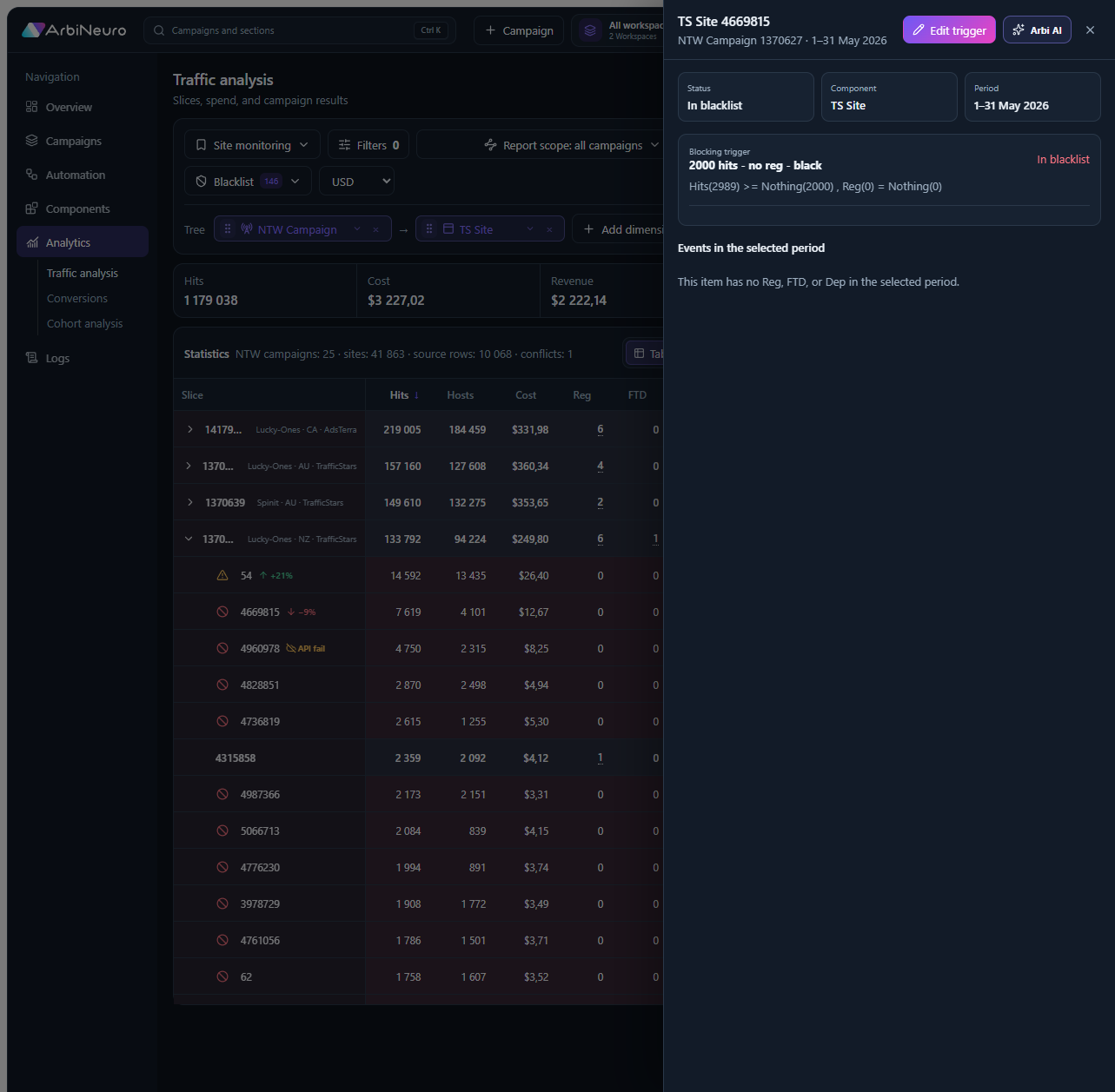
Decision diagnostics — action verified
The interface connects report context, decision logic, and the result of every controlled action.
1. Connect and collect
Connect the traffic-source, tracker, and affiliate-network data available for the customer account, then collect the configured campaign, placement, visit, cost, event, payout, and status records.
2. Normalize and analyze
Resolve identifiers, dimensions, funnels, levels, and reusable components into one campaign context. Calculate the configured KPIs and current economics.
3. Evaluate, confirm, and verify
Evaluate explicit rules, show the matching values and scope, and let an authorized user confirm the critical action. ArbiNeuro executes where supported, records the provider response, and re-evaluates new events.
FAQ
Frequently asked questions
Is user confirmation always required?+
Critical recommendations are designed to remain under user control. Exact permissions and workflow depend on the workspace configuration.
What happens if a provider does not support an action?+
The capability must be treated as unavailable; ArbiNeuro should not imply that an unsupported API action was executed.
ARBINEURO
Walk through the complete operating loop
Use a real campaign to see each data, decision, permission, and verification stage.
Book a demo ↗